Posts

Showing posts with the label Projects

How To Code a Wallpaper App in Android?

 How To Code a Wallpaper App in Android?    To create a wallpaper Android app, you will need to use the Android operating system and the Android Studio development environment. Here is a general outline of the steps you can follow to build your app:   Install Android Studio on your computer. This is the official Integrated Development Environment (IDE) for Android app development. Create a new project in Android Studio. Choose "Empty Activity" as the template for your project. Design the user interface (UI) of your app. You can use the XML-based layout files to define the UI for your app. You can also use the Graphical Layout tool in Android Studio to design your UI visually. Implement the functionality of your app. You can use Java or Kotlin to write the code for your app. Test your app on an emulator or a physical device to ensure that it works as expected. If you want to publish your app on the Google Play Store, you will need to sign up as a developer and pay a...

Blood Donors Using Firebase

Image
Blood Donors Using Firebase Blood Donors android app using firebase realtime database.This app used firebase as backend. Blood Donors is Android based project.Mobile is a portable device, so far it can move easily from one place to another place easily. So Mobile is the best choice for communication.By using of this application people who want to donate their blood can register in this application by providing their details. And Persons who needs blood, they can search and found the blood which group they need. After searching list of donors will be displayed. Then user can communicate with them easily. Framework used: Firebase. This app contains functionalities like:  Register as Donor or as Searcher. Login as Donor or Admin. Search Donors. Manage Donors. Add new Donors as admin. Delete Donors. Password reset. Password Change. GitHub: Source Code Download

Basic Calculation App-Calculate

Image
Basic Calculation App-Calculate     ***Features*** *It takes two inputs. *It can:         * Add         * Subtract         * Multiply         * Divide

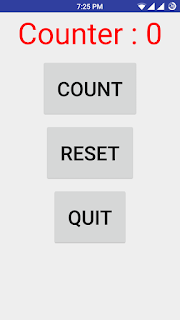
My First Android App- Basic Counter

Image
      My First Android App- Basic Counter ***Features*** *It can count. *It has also reset button to reset the count value.